


CamCard - BCR (Western)
4.1638.00 Reviews
App Specs
- Version
- 7.89.5.20260807
- Updated On
- License
- $0.99
- Downloads
- 50,000+
- Developer
- INTSIG
- Categories
- Business
- Platform
- Android
Screenshots
 Analysis by AppCompare
Business cards are easy to collect and surprisingly difficult to manage. I have often returned from a meeting with a pocket full of cards, a few half-remembered conversations, and no reliable way to connect each name with the right follow-up. CamCard - BCR (Western) is designed for that exact gap: it turns a phone camera into a practical business-card scanner and adds a digital-card angle for sharing contact details. After using it as part of a broader contact routine, I found it most useful when I treated it as the first step in a process rather than as a complete relationship-management system.
Developed by INTSIG, this business app has been around since February 9, 2010, and it is listed for Everyone. Its current version is 7.89.5.20260807, with a minimum operating-system requirement of 10. The app costs $0.99, while in-app purchases range from $3.49 to $399.99 per item, so I would look carefully at the available purchase options before building a large team workflow around it. It has an average rating of 4.1 from around 4.1 thousand ratings, with over 600 written reviews and more than 50 thousand installs. Those figures suggest a modest but established presence rather than the scale of a general-purpose contacts platform.
Why the workflow matters more than the scan
Before using CamCard, my usual approach was not really a system. I would photograph a card, leave the physical version on my desk, or type the details into contacts when I remembered. Each method created a different problem. Photos were hard to search, paper cards disappeared into bags, and manual entry took enough time that I postponed it. The result was a contact list filled with names but very little context.
The better approach is to decide what should happen immediately after a card is captured. I now think of the app as a checkpoint between a meeting and a useful follow-up. I scan the card while the conversation is still fresh, check the recognized details, add a short note about where we met, and then decide whether the person belongs in my regular contacts. That last decision is important. Saving every card without context simply replaces a paper pile with a digital pile.
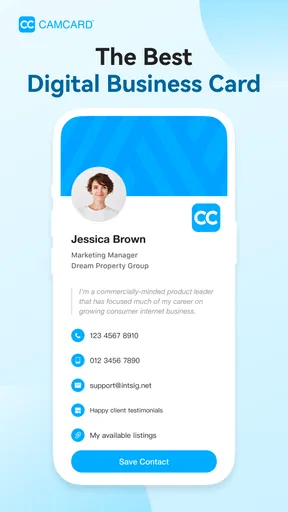
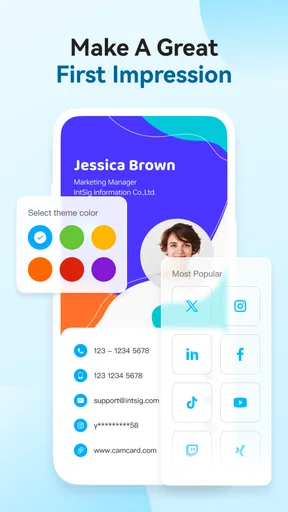
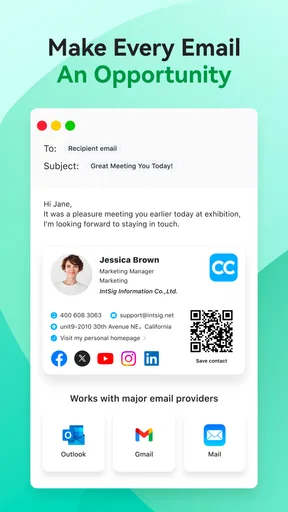
This is where the digital business card feature can be helpful. If I am introducing myself rather than collecting someone else’s details, sharing a digital version can reduce the need for the other person to read small printed text or type my information manually. It also makes sense for people whose phone number, job title, or company changes regularly. A printed card becomes outdated immediately; a digital card is better suited to information that needs occasional maintenance.
Still, I would not confuse this app with a full customer relationship manager. It can support the early stages of contact capture, but a sales team that needs assignment rules, detailed pipelines, team history, or automated campaigns should use a dedicated CRM. CamCard is more comfortable as a personal contact bridge than as the central database for a complex organization.
Scanning is useful only when I review the result
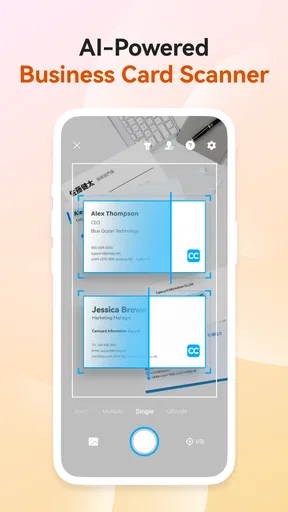
The core experience is straightforward: point the camera at a business card and let the app interpret the printed information. That is much faster than typing every field, especially after a conference or a day of back-to-back meetings. The real time-saving is not just the first scan. It is the ability to create a consistent habit where the card is processed before it gets lost.
Worth Reading Before You Choose

Flipboard Shows What News Apps Must Do Beyond the Feed

Switching to Android Auto Means Rethinking Your Driving Routine

Google Calendar Makes a Crowded Week Easier to Manage

Ludo King Makes the Most of the Minutes Between Plans

Baby Panda World Brings Quick Play to Modern Phones, but Its Game Library Feels Busy

ESPN’s Live Game View Makes Following Close Games Easier
Recognition is not something I would trust blindly. Small type, unusual layouts, decorative fonts, folds, glare, and low light can all make a scan less dependable. I make a quick pass over the name, company, phone number, email address, and job title before moving on. An incorrect email address is worse than an empty field because it creates false confidence and can send a follow-up into the wrong place.
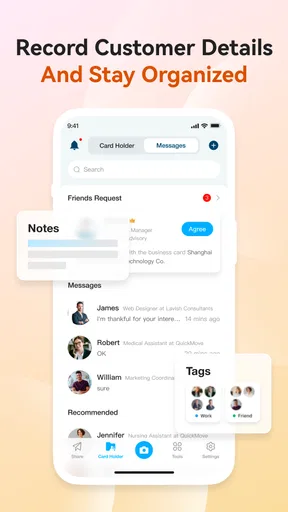
My most useful practical tip is to separate capture from interpretation. I do not try to write a long note while standing in front of someone. I scan the card, add one memorable phrase, and leave detailed sorting for later. For example, “met after the sustainability panel; interested in packaging suppliers” is far more useful than a generic note such as “business contact.” The note gives the future version of me a reason to reconnect.
Another small but important habit is to scan one card at a time and confirm it before starting the next. A hurried batch of cards can create uncertainty about which person belongs to which conversation. When the event is busy, I use a voice memo or a quick handwritten mark alongside the card before scanning it. That extra step may seem slower, but it prevents the more expensive task of reconstructing a day of meetings later.
Organization should happen in stages
I get better results when I use three stages: capture, clean-up, and action. Capture happens immediately after the exchange. Clean-up happens later, when I can correct recognition errors and remove duplicates. Action means deciding whether to send a message, add a reminder elsewhere, or leave the contact in a low-priority holding area.
This staged approach avoids a common mistake: trying to turn every new card into a fully managed relationship at the exact moment it is received. That creates friction and makes the app feel like administrative work. A quick scan is sustainable; a detailed data-entry session after every handshake is not.
CamCard works particularly well for people who meet contacts in bursts. Freelancers, recruiters, consultants, exhibitors, event organizers, and small-business owners may collect several cards in a single afternoon and need a simple way to bring them into a searchable digital workflow. It is less compelling for someone who rarely exchanges cards and already has a well-maintained contacts app.
I also like the idea of using a naming or note convention. I might begin a note with the event name, then add the topic discussed and the next possible step. The exact format matters less than consistency. Without a convention, the app can hold contact details but still fail to answer the question I care about later: why should I contact this person?
A repeatable routine that does not create another inbox
The sustainable routine I settled on is simple. At the end of a meeting, I capture the card. Before the day ends, I review the new entries. Once or twice a week, I turn the promising ones into actual follow-ups. This prevents the scanner from becoming another inbox that grows silently in the background.
For an everyday example, imagine a freelance designer attending a local business event. During the evening, she receives cards from a café owner, a packaging supplier, and a photographer. She scans each one, checks the recognized email address, and writes a short context note. The next morning, she corrects any mistakes and sends one tailored message to the café owner, while leaving the other two contacts for a later review. The value is not that three cards became digital. The value is that one relevant conversation became an intentional next step.
I would also set a personal rule for when a contact leaves the app’s holding area. A contact might be promoted after a reply, a scheduled call, a quote request, or a clear reason to maintain the relationship. This keeps the main address book cleaner and makes the app useful even when I am not ready to commit every new person to my long-term contacts.
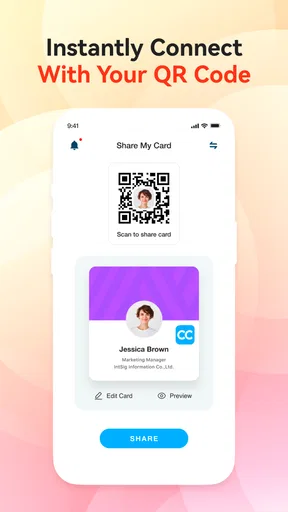
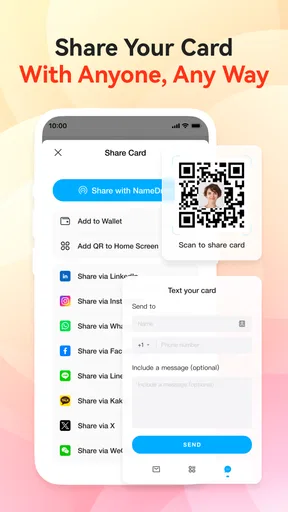
The digital-card side fits naturally into the same routine. I can prepare my own details before an event, make sure the information is current, and use a digital option when exchanging details is more convenient than handing over paper. That is especially practical when I am attending several meetings and do not want to carry a thick stack of printed cards. However, I would still keep a simple verbal introduction ready, because a digital exchange is only helpful if both people understand what they are receiving and how they will use it.
One trade-off is that convenience can encourage over-collection. Scanning is so much easier than manual entry that I may save contacts I would never actually contact. The remedy is not to stop scanning; it is to add a review step with a clear question: “Would I recognize the reason for this connection in a month?” If the answer is no, the card probably needs a better note or does not deserve priority.
Where the experience can break down
The first failure point is the camera environment. A glossy card under bright overhead lighting can be difficult to read, and a crowded design gives recognition less room to work. I get more reliable results when the card is flat, fully visible, and photographed in even light. If a scan looks suspicious, I correct it immediately instead of assuming I will remember later.
The second failure point is language and formatting variation. International cards may place names, addresses, and phone numbers in unfamiliar arrangements. A person with multiple roles or several phone numbers also requires more checking. This does not make the app useless, but it changes the job from “scan and forget” to “scan, verify, and organize.” Anyone expecting perfect interpretation from every layout will likely become frustrated.
The third problem is duplication. People often hand over a new card after changing jobs, moving offices, or updating contact details. A new scan may look like a completely new person even when the older record already exists. I recommend checking the existing contact before creating another entry, particularly for people I meet repeatedly. A clean contact list is more valuable than a large one.
There is also a broader privacy and dependency consideration. A business-card app becomes part of the way I handle other people’s contact information, so I would read the app’s current permission and privacy explanations before using it for sensitive professional work. I would also keep an export or backup habit appropriate to my wider contacts setup. The app can make capture easier, but no single tool should be the only place where important relationships exist.
Cost is another point to weigh. The base price is low, but the range of optional purchases reaches from $3.49 to $399.99 per item. That does not automatically make the app poor value, yet it means personal users and organizations should evaluate the actual features they need before paying for extras. For occasional card scanning, a phone’s built-in camera and manual contact entry may be sufficient. For repeated networking, the time saved can justify the expense, provided the purchase structure matches the intended scale.
How it compares with ordinary alternatives
The simplest alternative is the camera roll. Taking a picture of every card costs almost nothing and preserves the original design, but it creates a weak search and follow-up system. I can see the card, yet I still have to read it manually whenever I need the phone number or email address. CamCard’s advantage is the attempt to turn that image into usable contact information and to place digital sharing beside physical-card capture.
Manual entry into the phone’s contacts app remains the better choice when accuracy matters more than speed. If I am adding one important client, typing the details myself may take less time than correcting a difficult scan. Manual entry also encourages me to choose the right fields and add context immediately. CamCard is strongest when the volume of cards makes typing feel like a barrier.
A dedicated CRM is a better alternative for teams that need shared ownership and a detailed history of communication. A CRM can be excessive for a solo professional who simply wants to remember where a contact came from. In that situation, CamCard offers a lighter starting point, but I would still connect it to a separate task or calendar habit so that captured details lead to action.
There is also a middle ground: a general contact-management app with notes and tags. That option may be preferable for people who do not exchange many cards but already maintain a carefully structured address book. CamCard earns its place when the physical card is still a regular part of the user’s work and the scanning step removes enough friction to change behavior.
Who should adopt it, and who should skip it
I would recommend CamCard to a person who regularly meets new professional contacts, wants to reduce paper clutter, and is willing to spend a few seconds checking each scan. It is a good fit for a freelancer after networking events, a recruiter processing candidate details, or a small-business owner who needs a repeatable way to move from introductions to follow-ups.
I would be more cautious if the user exchanges only a handful of cards each year. In that case, the ordinary contacts app may be simpler, especially when every entry is important enough to type manually. I would also steer a large sales department toward a CRM if the team needs shared records, reporting, ownership, and a long communication history. CamCard can support that environment as a capture tool, but I would not make it the only operational system.
The Everyone content rating makes it broadly approachable, and the minimum operating-system requirement of 10 is not especially restrictive for supported phones. Still, compatibility is only one part of the decision. The more important question is whether the user will maintain the review habit. A scanner cannot repair a neglected follow-up process; it can only make the first capture easier.
My recommendation after building it into a routine
My view is that CamCard - BCR (Western) is most valuable when it is treated as a small but dependable stage in a sustainable productivity system. Its strongest contribution is reducing the distance between receiving a business card and having an organized, searchable starting point. The digital-card option adds flexibility for sharing my own details, while the scanning workflow helps preserve context that would otherwise disappear with the paper.
Its limitations are equally practical. Recognition needs checking, duplicates need judgment, and the app does not replace a full relationship-management platform. Optional purchases also deserve attention before a team commits to a larger rollout. I would not install it simply because business cards exist; I would install it if I had a recurring capture problem and a clear plan for reviewing what I collect.
For me, the deciding test is easy: after scanning a card, do I know what happens next? If the answer is yes, the app can save time and make networking less wasteful. If the answer is no, it may only create a more polished pile of forgotten contacts. Used with a short note, a regular review, and a real follow-up habit, CamCard is a sensible business utility for turning brief introductions into contacts I can actually use.
Pros
- Quickly scans business cards using the phone camera.
- Recognizes contact details with generally accurate OCR.
- Supports contact syncing and export to other address books.
- Lets you add notes and reminders to individual contacts.
- Useful search tools make large card collections easier to manage.
Cons
- OCR accuracy can drop with unusual layouts or poor lighting.
- Some useful features require a paid subscription or in-app purchase.
- Cloud syncing may raise privacy concerns for sensitive business contacts.
- The interface can feel busy when managing many saved cards.
- Export and sharing options may be limited on the free version.
FAQs for CamCard - BCR (Western)
What is CamCard - BCR (Western) used for?
CamCard - BCR (Western) is a business card scanning and contact management app for Android and iOS. It uses your phone’s camera to capture information from printed business cards and convert it into editable digital contacts. After scanning, you can review details such as names, companies, phone numbers, email addresses, and websites, then organize, search, and share them more conveniently than keeping a physical card collection.
How accurate is CamCard when scanning business cards?
CamCard generally recognizes common business card layouts quickly, but accuracy can vary depending on lighting, image quality, fonts, languages, card designs, and whether the text is printed clearly. During use, it is still important to check every scanned contact before saving it. Phone numbers, email addresses, and names may occasionally require manual correction, especially on cards with logos, unusual formatting, small text, or multiple columns.
Does CamCard - BCR (Western) support contact organization and synchronization?
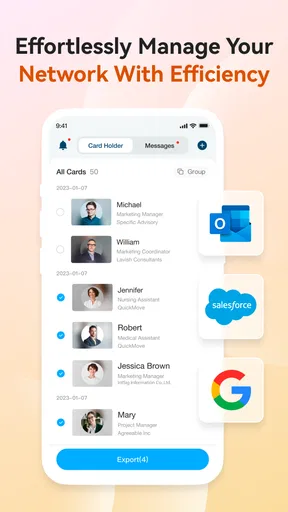
Yes, CamCard is designed to help users organize scanned business contacts rather than simply store images of cards. You can search saved information, edit contact fields, add notes, and group or manage contacts for easier follow-up. Depending on the version, account settings, and enabled services, synchronization or backup features may also be available, so users should review the app’s current permissions and account options before relying on it as their only contact backup.
Is CamCard - BCR (Western) free to download and use?
CamCard can usually be downloaded at no initial cost, but some features may be limited by the app version, platform, region, or subscription model. Advanced scanning, cloud services, exports, synchronization, or business-oriented tools may require payment or an upgraded plan. Before downloading or subscribing, check the current Google Play Store or Apple App Store listing carefully, including in-app purchases, trial conditions, and renewal terms.
What permissions and privacy considerations should users know about?
CamCard needs camera access to photograph business cards and may request permission to store or manage contact information, depending on the features you use. Because scanned cards can contain names, phone numbers, email addresses, and company details, privacy should be considered before enabling cloud synchronization or sharing functions. Review the app’s privacy policy, limit permissions that are not necessary, and avoid scanning sensitive information unless you understand how it is handled.


